
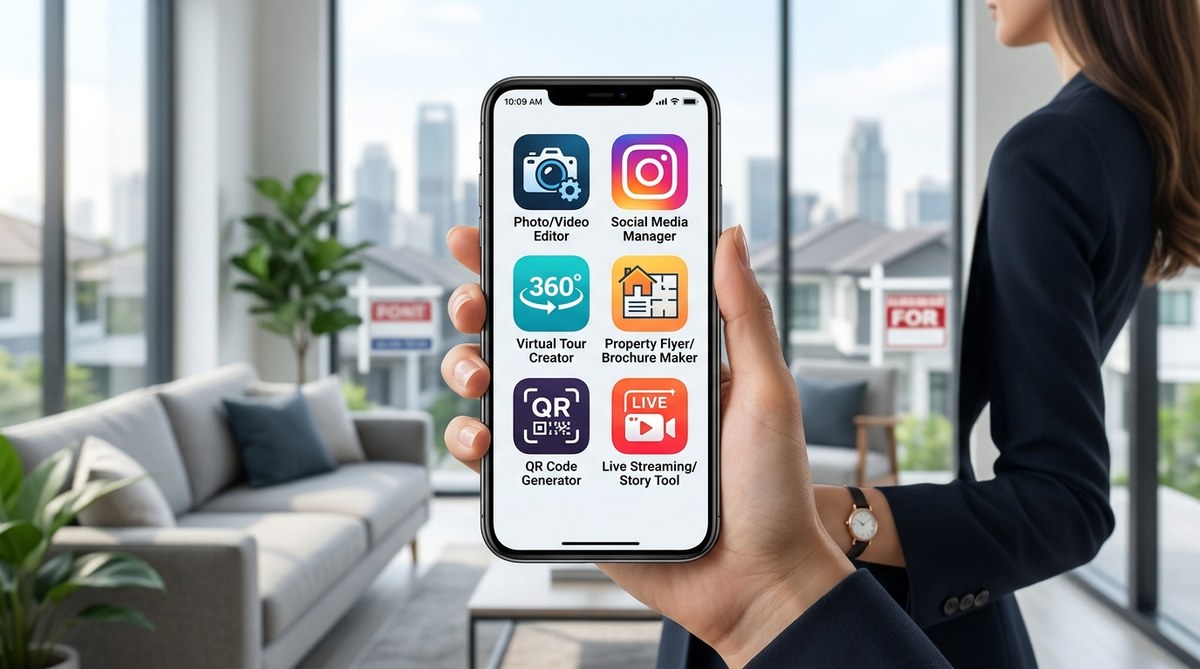
Your phone is already the most powerful marketing device you own. The camera in your pocket can capture a kitchen renovation, a sunset view from the master deck, or a walkthrough of a newly staged living room. But raw photos alone won’t stand out on Zillow or Instagram. You need the right apps to turn those captures into listings that sell.
The difference between a listing that gets saved and one that gets ignored often comes down to the visuals. Bright, consistent, and professional looking images signal to buyers that the property is cared for. You don’t need a studio or a big budget. You just need the right tools on your smartphone.
Smartphone apps can replace expensive gear for real estate visual marketing. Focus on photo enhancement, video editing, floor plan creation, and social media scheduling. This guide covers seven tools that help agents create professional listings, save time, and attract more buyers without leaving their phone.
Why your smartphone is your best marketing asset
Buyers start their search on a screen. Ninety nine percent of home buyers under 35 search for properties online first. They swipe through photos the same way they scroll through social media. If your images are dark, crooked, or cluttered, they swipe past.
Professional photography still has its place. But for daily social posts, open house teasers, and listing updates, your smartphone is faster and more practical. The key is using the right apps to polish the raw material. A few adjustments to brightness, color, and composition can make a room look larger and more inviting.
The seven visual marketing tools to download today
Here is a list of apps that cover the main visual needs of a real estate agent. Each one solves a specific problem, from editing photos to creating virtual walkthroughs.
- Lightroom Mobile for photo color correction and lighting fixes. It handles shadows and highlights better than most free editors.
- Canva for creating social media graphics, flyers, and listing collages. It has templates designed for real estate.
- CapCut for editing short property videos and Reels. It is easy to trim clips and add text overlays.
- Matterport (or its mobile capture option) for 3D virtual tours. You can create a digital twin of a home using just your phone camera.
- Snapseed for targeted photo edits like removing a distracting object or brightening a dark corner.
- Zillow 3D Home for creating simple, shareable virtual tours directly from your phone.
- Later for scheduling your visual content across Instagram, Facebook, and TikTok so you post consistently without daily effort.
These tools cover the full workflow: capture, edit, design, and publish.
How to build a visual workflow in three steps
You need a process that does not waste time. Jumping between apps without a plan leads to inconsistent results. Try this simple routine.
Step one: Capture in batches. Shoot all the photos and video for a listing in one visit. Use natural light. Open curtains and turn on all lamps. Hold the phone steady at chest height for room shots.
Step two: Edit in a consistent style. Pick one or two presets in Lightroom or Snapseed and use them for every listing. This creates a recognizable look across your feed. Buyers start to associate your brand with bright, clean images.
Step three: Design and schedule. Use Canva to pull the best photos into a carousel post or a listing flyer. Then drop that post into Later to schedule it for the week. This keeps your social presence active even when you are showing homes.
Common visual mistakes and how to fix them
Even with the best tools, some habits can hurt your listings. The table below shows frequent mistakes and the simple fixes that work.
| Mistake | Why it hurts your listing | The fix |
|---|---|---|
| Shooting with overhead lights only | Creates harsh shadows and yellow tones | Turn off overhead lights and use window light plus lamps |
| Crooked horizon lines | Looks sloppy and unprofessional | Use the straighten tool in Snapseed or Lightroom |
| Too many filters or heavy saturation | Makes the image look fake | Stick to subtle brightness and contrast adjustments |
| Forgetting to clean the lens | Blurry or hazy photos | Wipe the lens with a microfiber cloth before every shoot |
| Posting the same photo on every platform | Misses the audience style of each app | Resize and reformat for Instagram Stories vs. Facebook feed |
One tool that saves the most time
If you only download one app from the list above, make it Canva. It does more than design graphics. You can create a branded template for your listing descriptions, add your logo to every photo, and build a consistent color palette. Once you set up a template, you can reuse it for every new property. This cuts your content creation time by half.
“I used to spend an hour making a single Instagram post for a listing. Now I use a Canva template and finish in ten minutes. The consistency also helped my engagement go up because people recognize my posts instantly.”
* Sarah M., Realtor in Austin, TX
Matching the tool to the platform
Not every app works the same way on every social platform. Here is a breakdown of which tools fit best where.
- Instagram and TikTok: CapCut for Reels and short video walkthroughs. Use Later to schedule carousel posts that show before and after shots.
- Facebook Marketplace and Nextdoor: Snapseed for clean, honest photos that look good on a news feed. Avoid heavy filters here.
- LinkedIn and email newsletters: Canva for polished infographics and market update cards. Keep the design clean and text readable.
- Your website and Zillow: Matterport or Zillow 3D Home for the virtual tour. These platforms reward listings with 3D content by ranking them higher in search results.
Going beyond photos with video and virtual tours
Static images are no longer enough. Buyers expect video walkthroughs and 3D tours. The good news is that you can create both with your phone.
CapCut lets you stitch together clips of each room, add background music, and include text that highlights features like “new roof 2024” or “hardwood floors throughout.” Keep each clip under ten seconds. The total video should be no longer than 60 seconds.
For virtual tours, Matterport now offers a mobile capture mode. You walk through the home slowly while the app stitches the images into a 3D model. It is not as polished as a professional 360 camera tour, but it works well for vacant homes or listings where you want to give buyers a realistic sense of the floor plan without an in person visit.
If you want to take your visuals further, check out our guide on boost your property listings with cutting edge visual marketing strategies. It covers how to combine these tools with listing copy to create a complete package.
Staying consistent without burning out
The hardest part of visual marketing is doing it every week. Many agents start strong and then stop posting after a few weeks. Use Later to schedule a month of content in one sitting. Pick the best photos from each listing and rotate them across your platforms.
Also, repurpose your content. A photo you used for a listing can become an Instagram post, a Facebook cover photo, and a slide in a market update carousel. One image can do three jobs.
Use your phone to tell the story of the home
Buyers do not just want to see a kitchen. They want to imagine themselves cooking there. Your visual tools should help tell that story. A bright photo of the island, a video of the morning light coming through the window, a 3D tour that shows how the living room flows into the dining area. Each piece of content builds a picture of life in that home.
The top visual marketing trends reshaping real estate in 2026 show that buyers respond most to authentic, not overly styled, visuals. They want to see the real home, not a staged magazine spread. Use your smartphone tools to enhance reality, not hide it.
Your next step
Start with one tool from the list above. If you struggle with lighting, download Snapseed and practice fixing one dark photo. If you need more social presence, set up a Later account and schedule three posts for the coming week. Do not try to master all seven at once. Pick the one that solves your biggest visual problem right now and use it until it becomes a habit.
The tools are free or low cost. The time investment is small. The return is a professional looking brand that attracts more buyers and helps listings sell faster. That is the edge every agent needs in 2026.